Wedding Venue Floor Plans

Create a wedding floor plan with room dimensions, table sizes, and clearance in view. Generate a measured starting layout, adjust the furniture, and prepare a chart for your venue discussion.

Wedding Venue Floor Plans: From a headcount to a usable layout

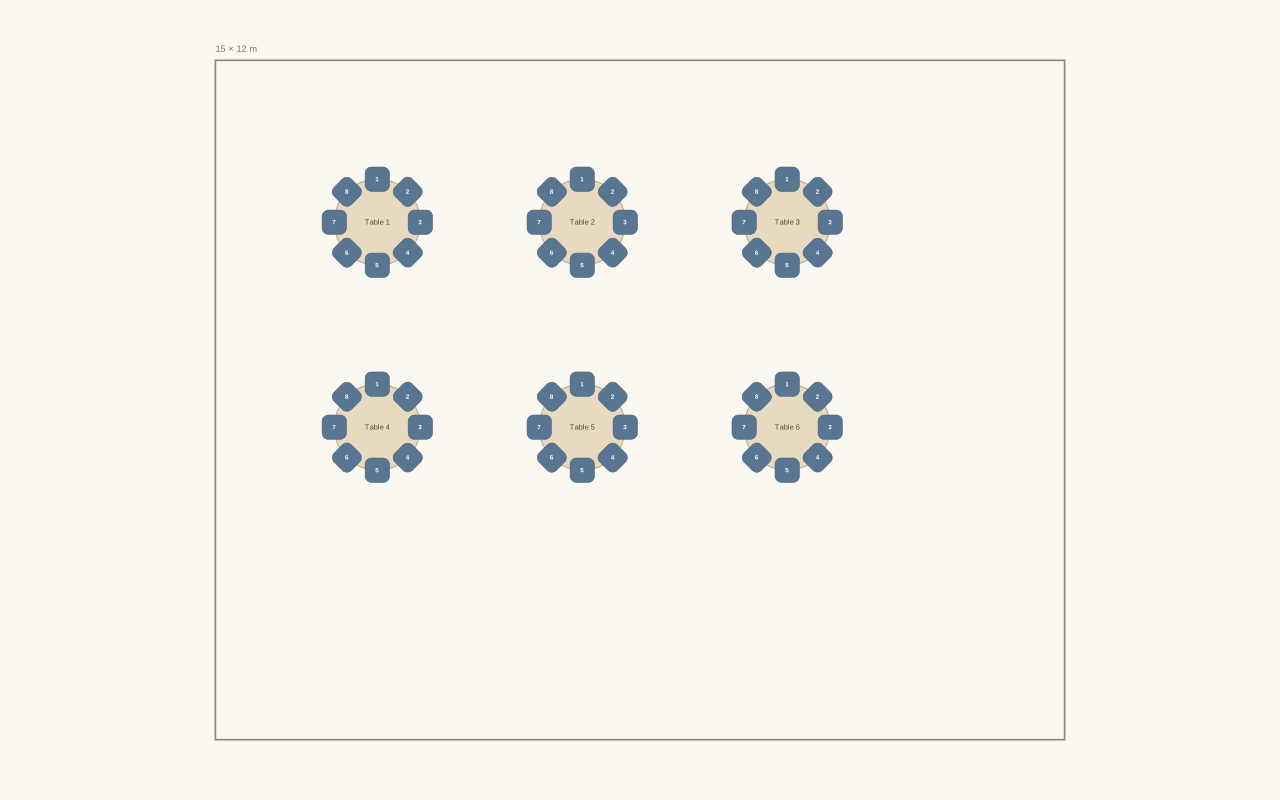
See how the Wedding Venue Floor Plans turns the displayed setup into its matching layout. Compare the requested people count and furniture with the available seats before adding names or making changes.

Your starting setup

People
48
Furniture
Measured round tables
Room dimensions
15 × 12 m
Table diameter
1.52 m
Clearance
1.2 m

Compare the layout

Example layout generated from the displayed settings. Guest names are added separately after you review the available seats.
The resulting layout: 6 tables or desks · 48 available seatsExample layout generated from the displayed settings. Guest names are added separately after you review the available seats.

Measure first, then arrange the reception

Create wedding venue floor plans

Enter the room dimensions

Use the room width and length supplied by your venue. Choose the table layout and enter the table dimensions and clearance for generation.

Generate and inspect

Apply the measured layout when the furniture fits. Review table positions and add the other elements that need space in your reception room.

Add guests and export

Import names, assign seats, and inspect the plan with your venue. Export the chart and keep an editable backup for further revisions.

Your wedding venue floor plans, with real dimensions

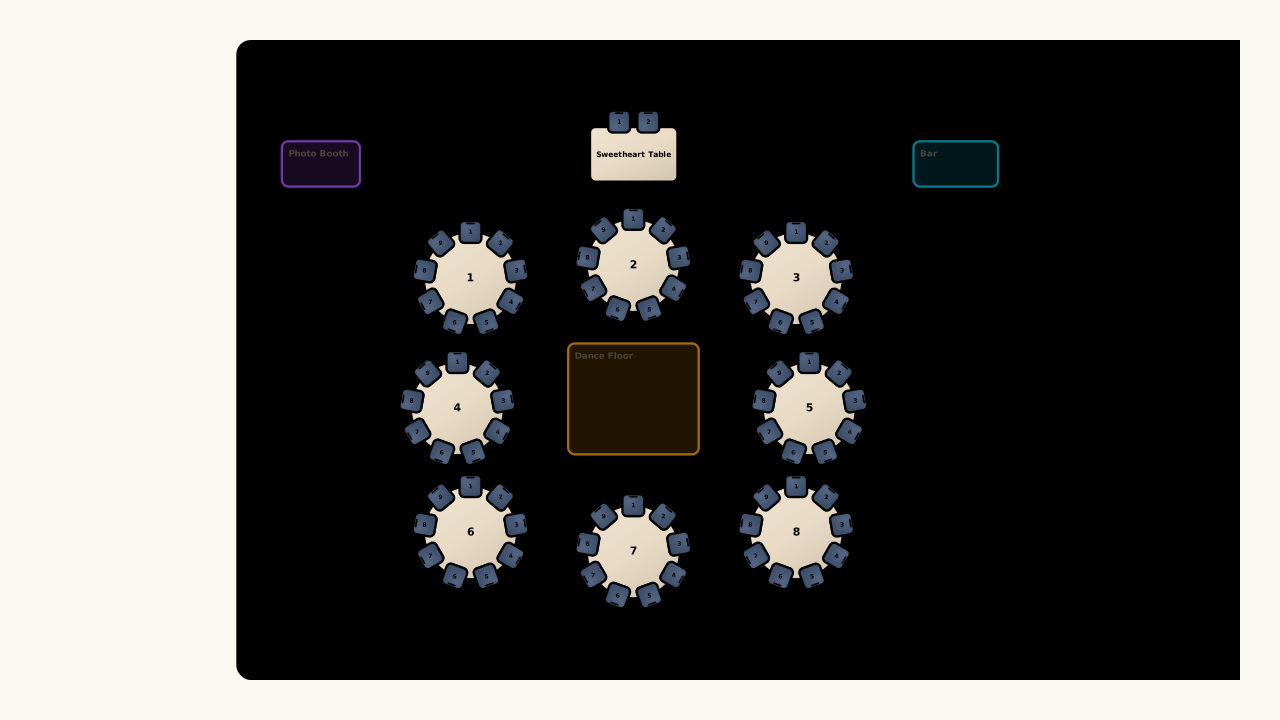
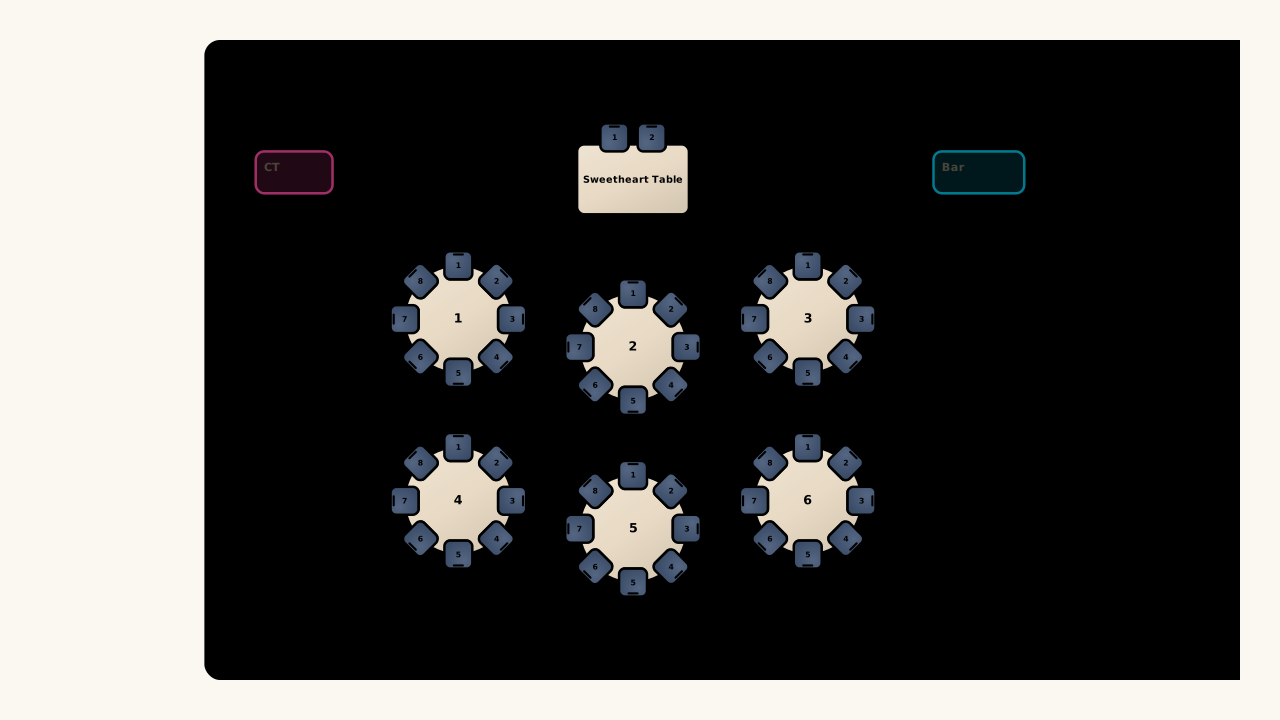
Illustrative intimate venue arrangement with round tables and a sweetheart table

Generate inside a measured room

Build wedding venue floor plans around the room your venue actually provides. With Event Manager, enter physical room and table dimensions, then generate an arrangement you can move, rotate, and discuss with the coordinator before making final placement decisions.

Create wedding venue floor plans
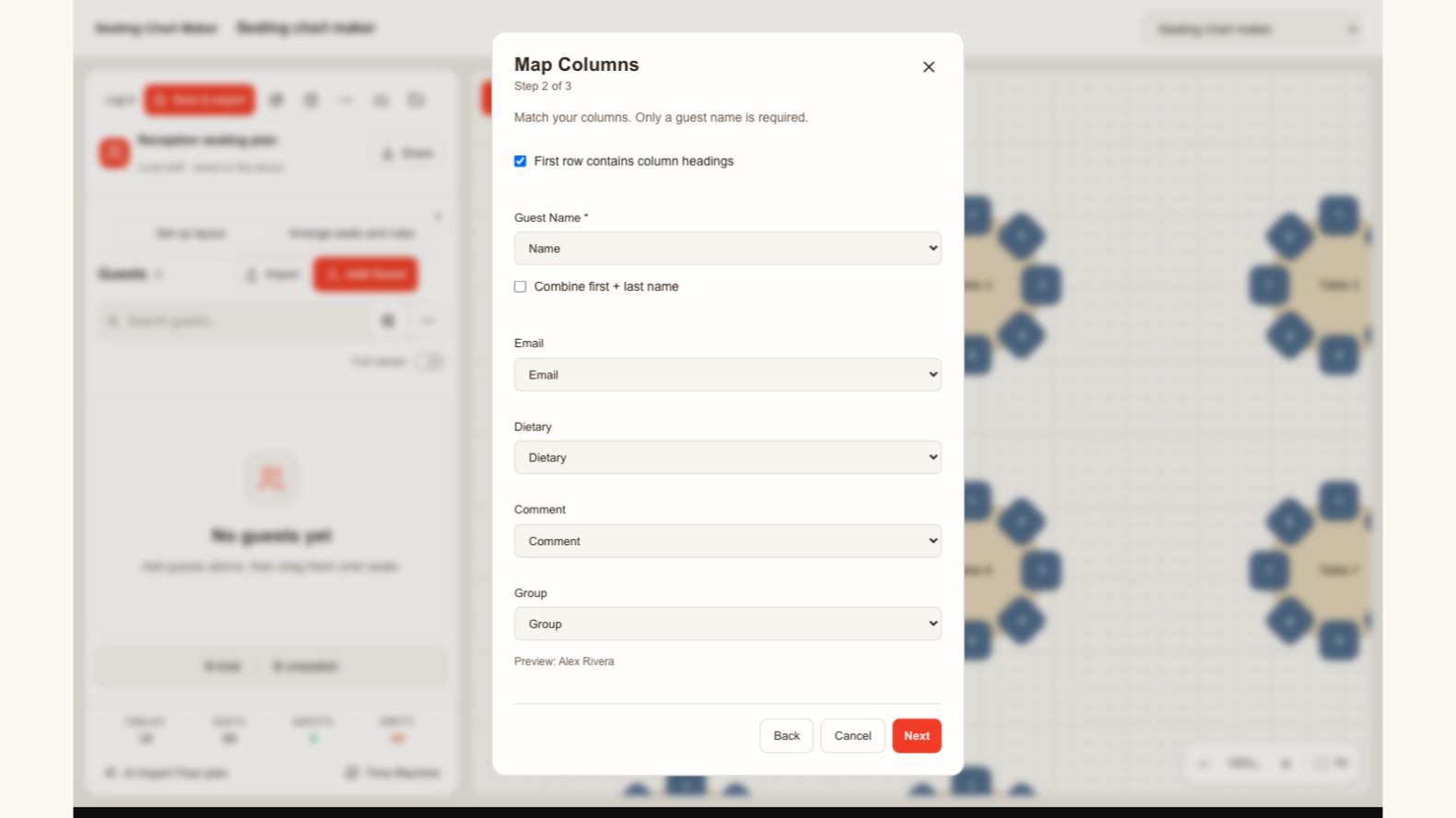
Actual guest import dialog mapping name, email, dietary information, notes and groups

Match your list to the right fields

Bring your guest list into the wedding venue floor plans from a spreadsheet. Review the name, group, dietary, and note columns before importing, so each person keeps the details you need when assigning seats and checking the final plan.

Create wedding venue floor plans
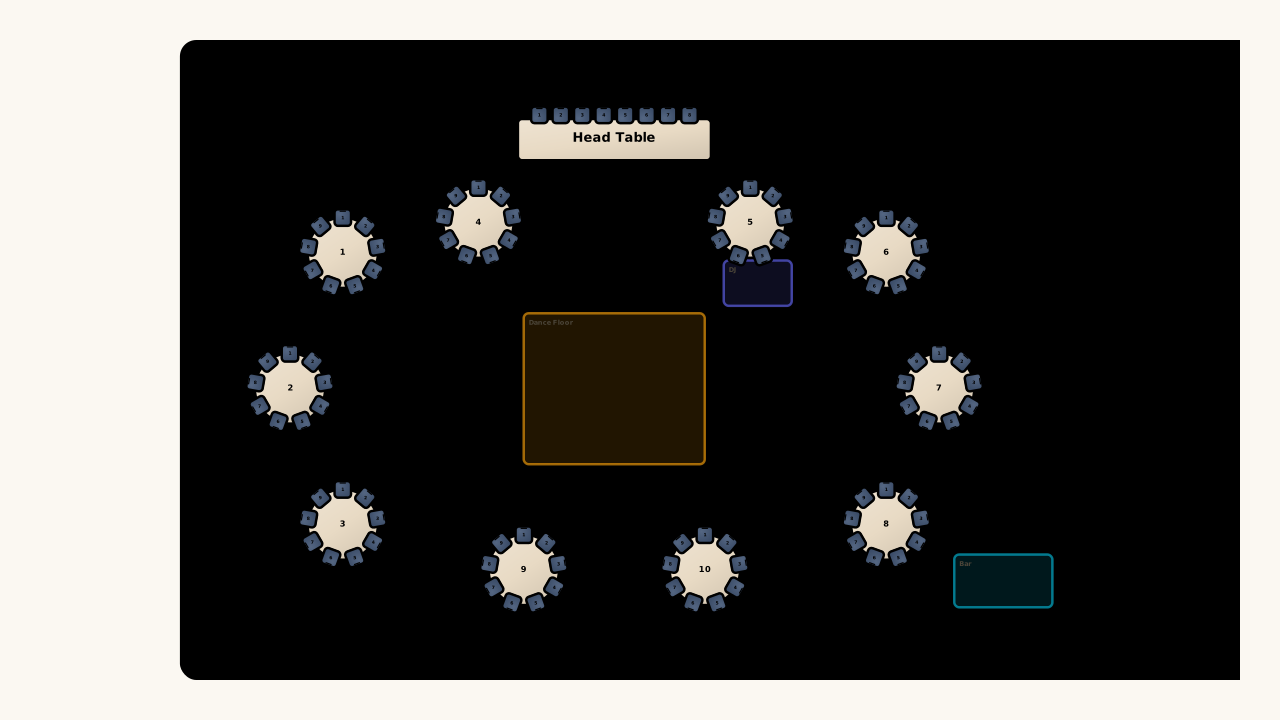
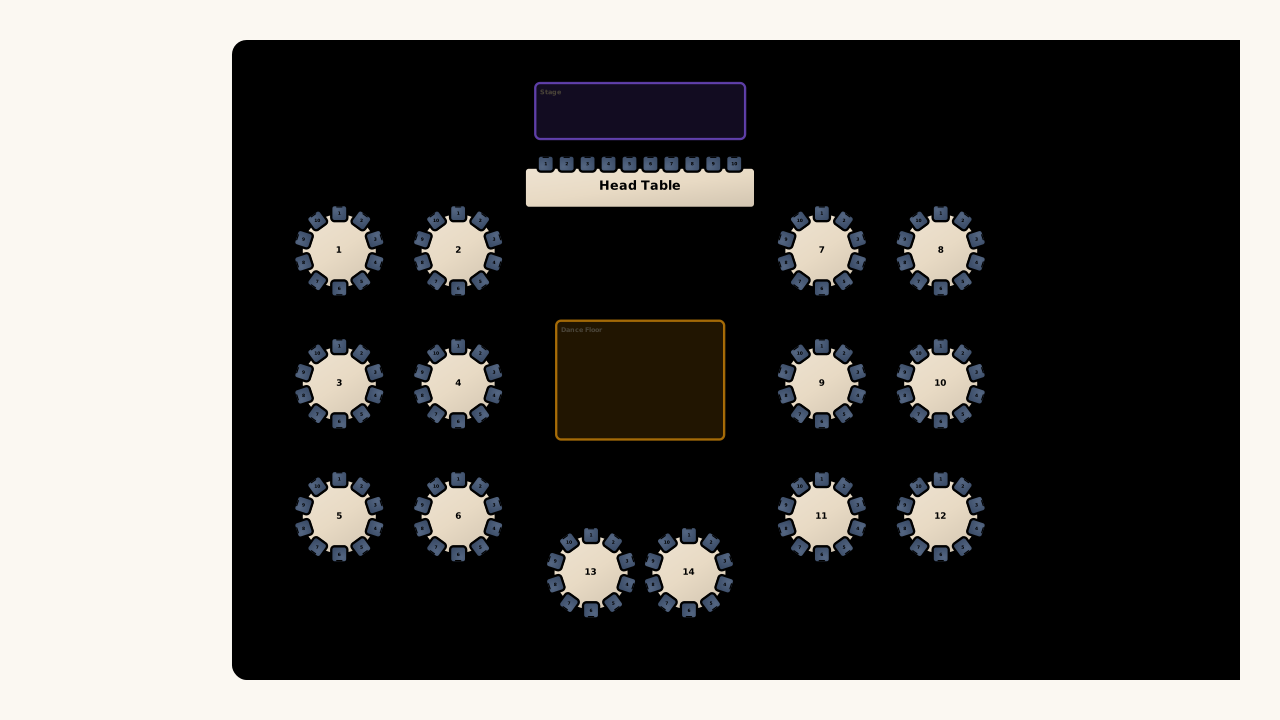
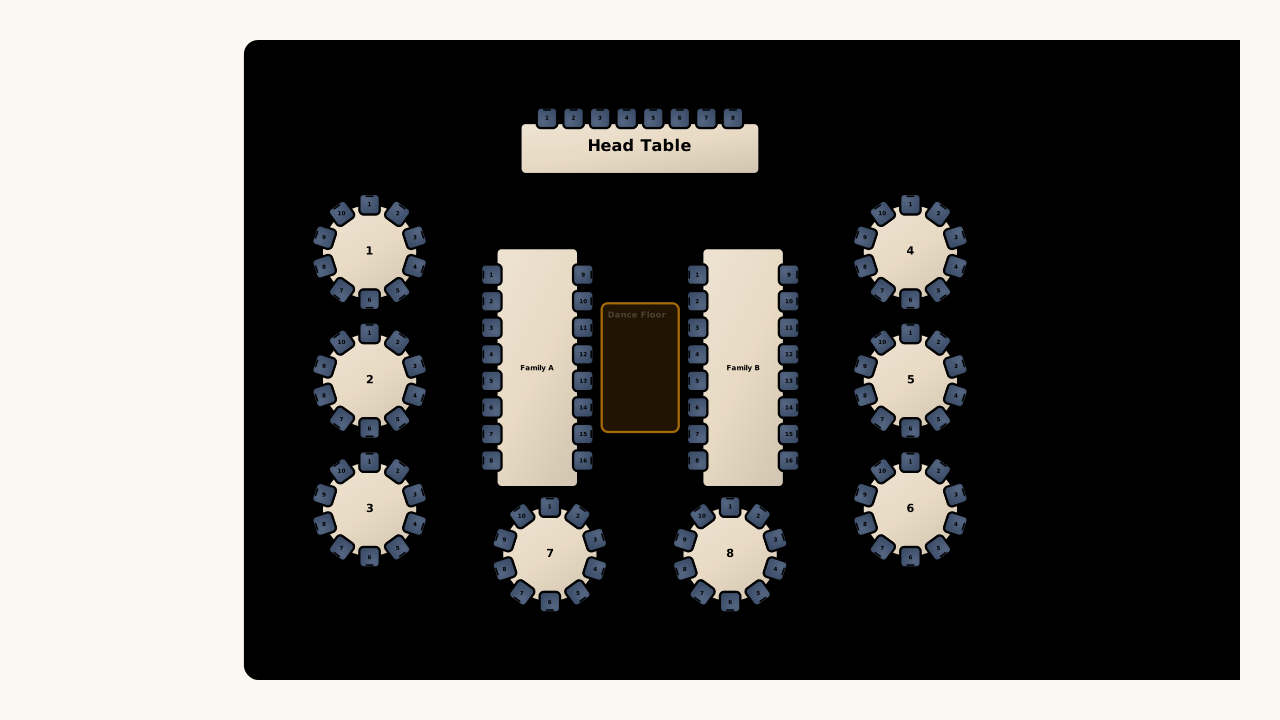
Illustrative reception floor arrangement with round and rectangular tables around a dance floor

Keep dimensions while changing the layout

Leave room for movement when preparing wedding venue floor plans. Choose clearance settings for generated tables, then review the arrangement against doors, service areas, and the dance floor with your venue. A diagram supports that conversation; it does not certify safety.

Create wedding venue floor plans

A better basis for the venue conversation

Keep wedding venue floor plans connected to your actual room, furniture, and guest list. Check the wedding reception layout with your coordinator before distributing the final version.

Use the venue measurements

Start with supplied room dimensions instead of guessing the scale of a picture, keeping the layout discussion tied to an explicit footprint.

Catch a crowded starting layout

Generation rejects furniture that cannot fit under your entered constraints, giving you a clear reason to revise the proposed setup.

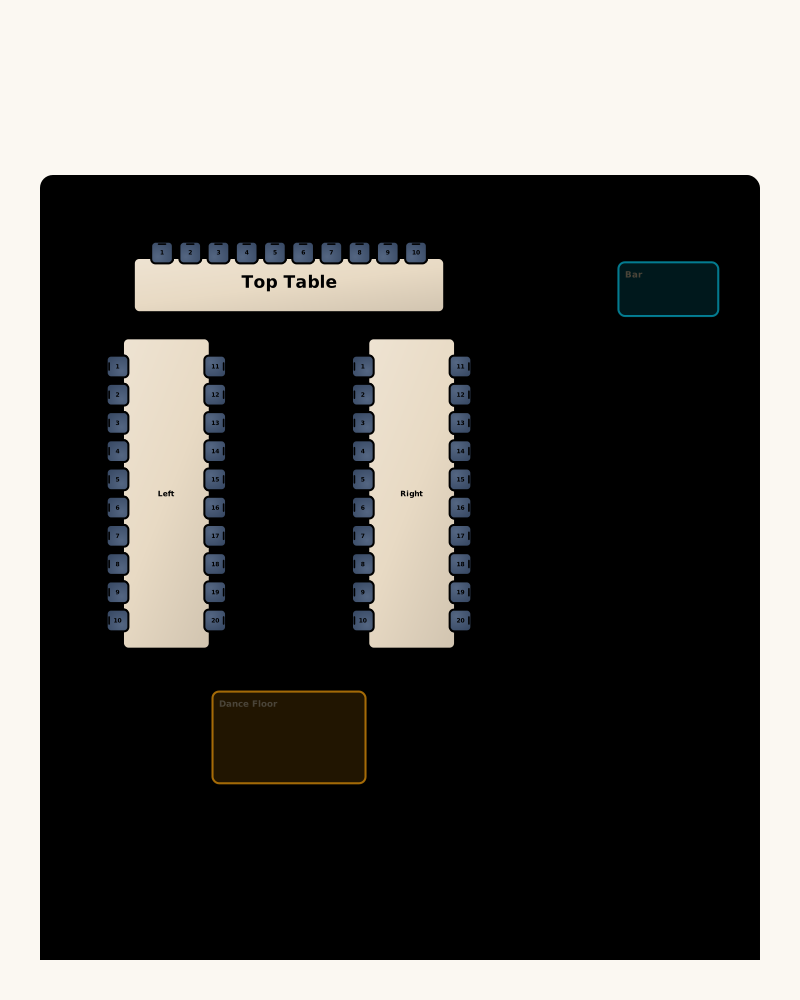
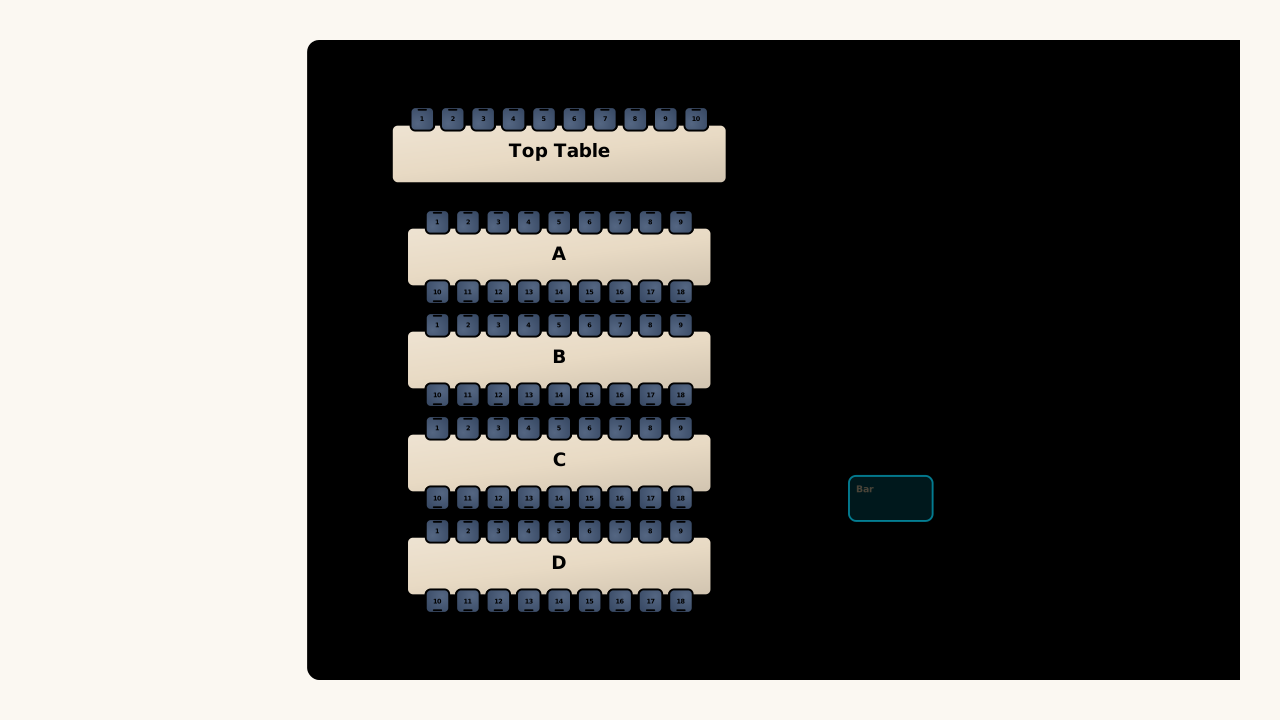
Illustrative U-shaped reception layout with a top table, bar and dance floor

Keep the furniture editable

Move and adjust elements after generation, letting you work through the particular details of the room with your coordinator.

Carry the discussion into seating

Use the same plan to place guests once the room arrangement is settled, linking table positions with individual seat assignments.

Wedding Venue Floor Plans questions

Seating Chart Maker logo

Create your wedding venue floor plans

Bring your room and table dimensions, compare a starting arrangement, and open an editable plan for the next venue discussion.

Create wedding venue floor plans